General UI Improvements in Season of Blood
One of the most-requested community features finally arrived in Diablo 4 Season 2: the ability to mark items as Junk or Favorites. Favorited items are protected from automatic sale or salvage, so players can keep sought-after pieces without babysitting their stash.
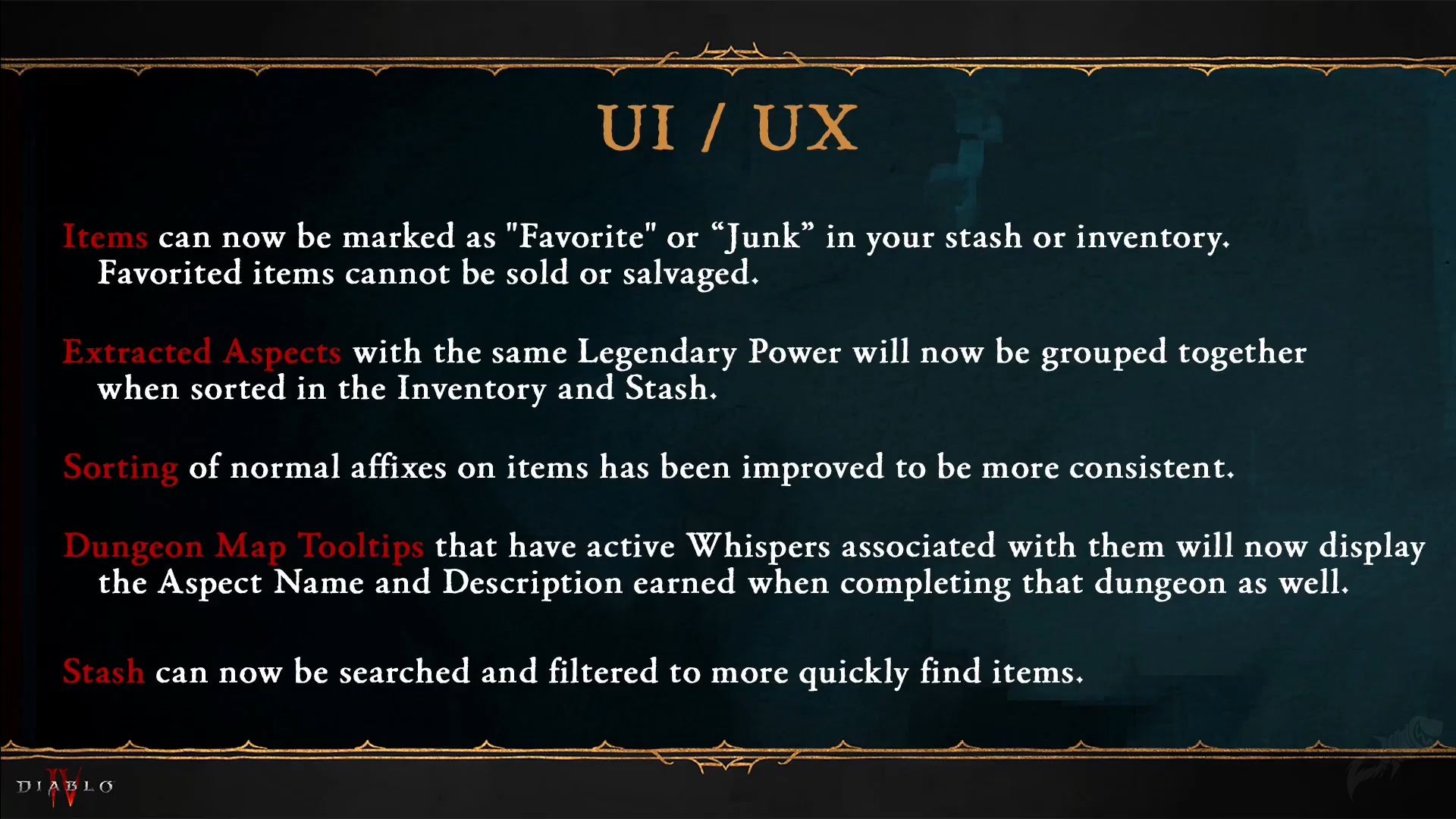
Aspect management also improved significantly. Extracted Aspects with the same Legendary Power now group together, cutting the clutter that made inventory comparisons tedious. Gear affixes sort in a consistent order across all items, so comparing two rings no longer requires scanning mismatched rows.
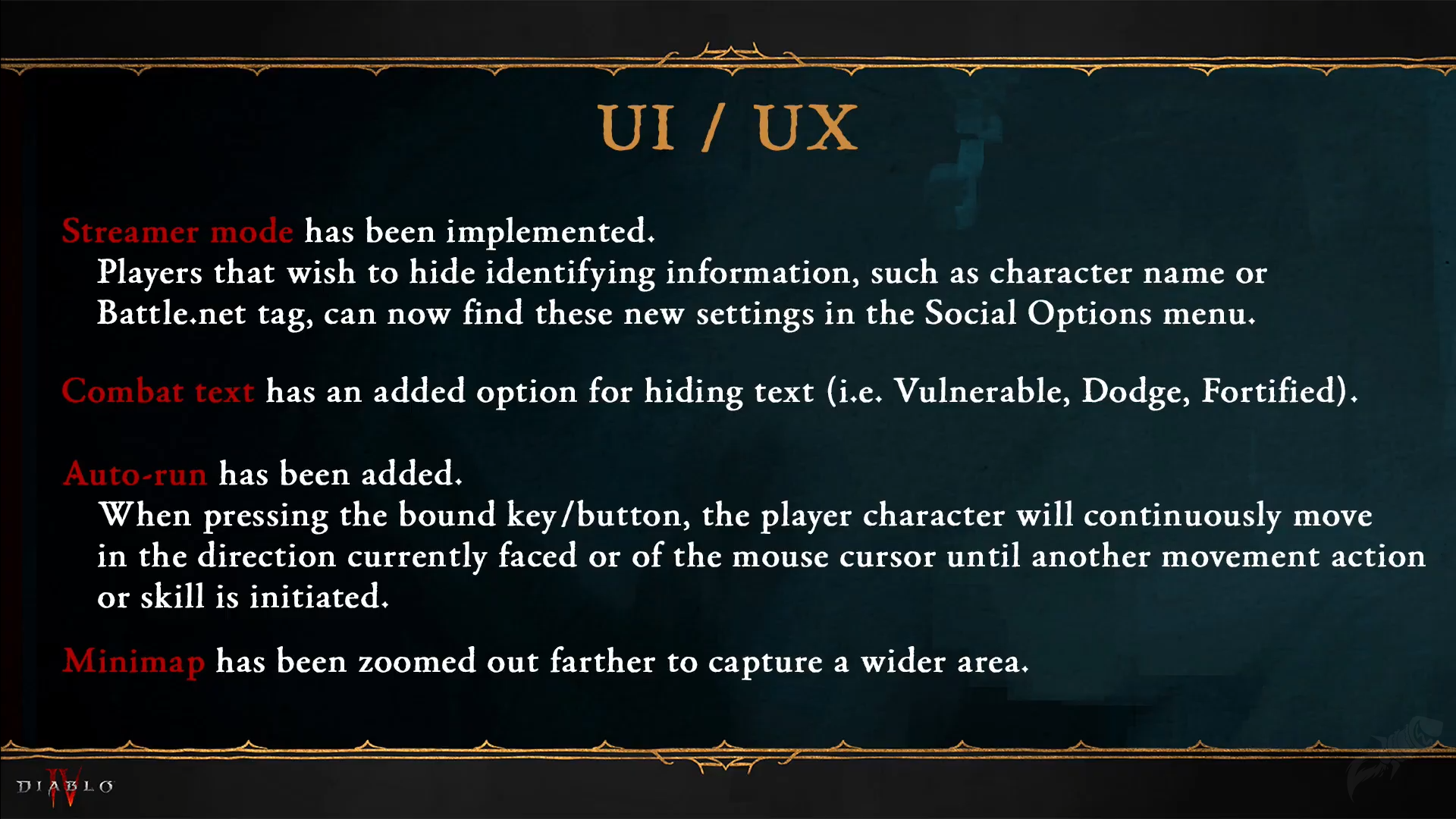
For players who prefer a cleaner visual experience, Season 2 adds an option to hide character names and Battle tags. Combat text — including Vulnerable notifications — can now be toggled off entirely. An auto-run toggle rounds things out, letting players review another screen while their character keeps moving through Sanctuary.
Collectively, these changes address the most common quality-of-life complaints from Season 1 and set a cleaner foundation for the Season of Blood grind.
Gem System Changes in Season 2
Diablo 4 Season 2 reworks how Gems interact with inventory, reducing stash clutter while keeping the crafting loop intact. Gems now flow through the crafting system more directly, with several redundant drop categories consolidated.
Stash Search and Filters
Season 2 adds a dedicated search bar and filter panel to the stash. Players can locate specific items by name or property in seconds rather than scrolling through dozens of tabs. Filters let you sort by item type, rarity, or stat — a change that makes returning to the stash after a long farming run considerably less painful.
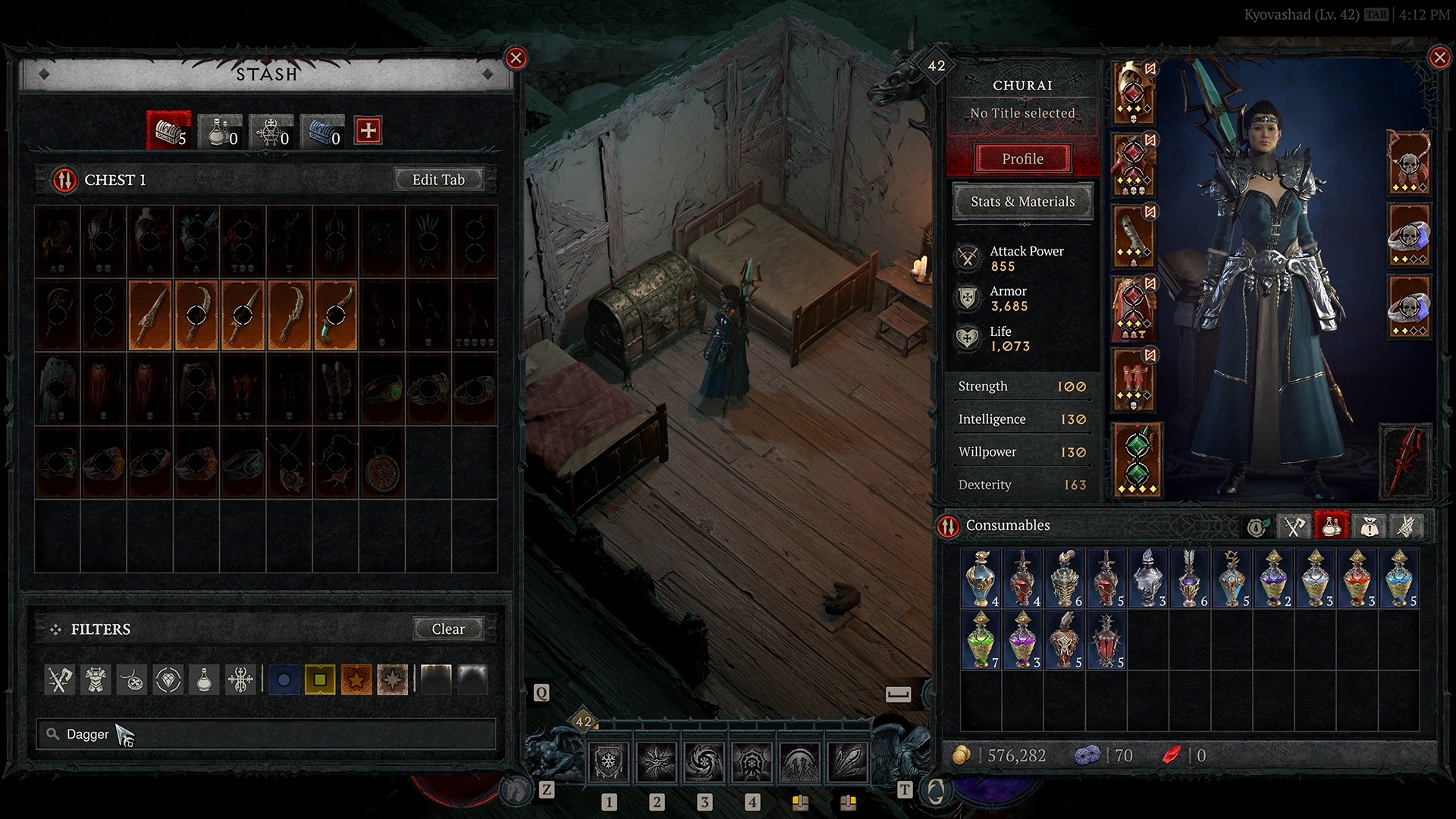
These sorting options complement the Aspect grouping changes: between the two, players can locate and compare gear in a fraction of the time it took in Season 1.
The combined UI overhaul — Favorites, Aspect sorting, stash search — reflects the kind of inventory management that players of action RPGs have expected as standard for years. Season of Blood finally delivers it for Explore WowCarry's Diablo 4 services.
What the Season 2 UI Changes Mean for Players
These updates are not purely cosmetic. Faster inventory management translates directly into more time spent farming and less time sorting. The Favorites system reduces accidental salvages of key chase items. The Aspect grouping change is a direct buff to builds that rotate multiple Legendary Powers across gear sets.
For returning players who stepped away during Season 1, the Season of Blood interface alone makes the game feel measurably more polished. The stash filter alone addresses a problem that caused players to keep multiple alt characters purely as storage.
Last reviewed 2026-06-12 against Season 2 Season of Blood — Maintained by WowCarry's Diablo 4 team.