Patch 7.4 Removed Job and Level Limits on Glamour
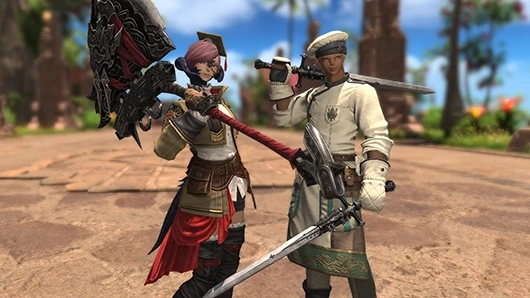
FFXIV patch 7.4 allowed equipment appearances to display regardless of your class, job or level. It opened many cross-job outfit combinations, while retaining weapon/tool item-type rules and race, gender and Grand Company restrictions.
These changes arrived in December 2025. The official 7.4 notes cover both appearance eligibility and partial outfit storage. They apply to player characters, retainers, squadron members and Custom Delivery clients.
Glamour changes an item's appearance. The update did not turn a glamoured item into another job's combat equipment or transfer its statistics.
If a Look Fails, Check These Remaining Restrictions
Check the source appearance and target item together. A matching number of hands is not enough to make two different weapon categories compatible.
- Weapons and tools: the same item type
A Dark Knight arm uses the appearance of another Dark Knight arm; a shield uses a shield appearance. Two-handed weapons from different job categories do not become interchangeable simply because both use two hands.
- Race and gender eligibility
Restrictions attached to the specific equipment still apply. Removing a job restriction does not remove an item's separate race or gender condition.
- Grand Company affiliation
Company-restricted equipment retains that restriction. When an otherwise suitable appearance will not display, inspect its affiliation requirement too.
The patch also explains why an old glamour could suddenly become visible: some appearances already applied but hidden under 7.38 or earlier could display after 7.4 removed the job and level barriers.
Store a Partial Outfit Without Waiting for the Whole Set
Outfit glamours no longer require every piece of the set before storage. Add the pieces you have and want to include. The prism cost is based on the number of pieces added.
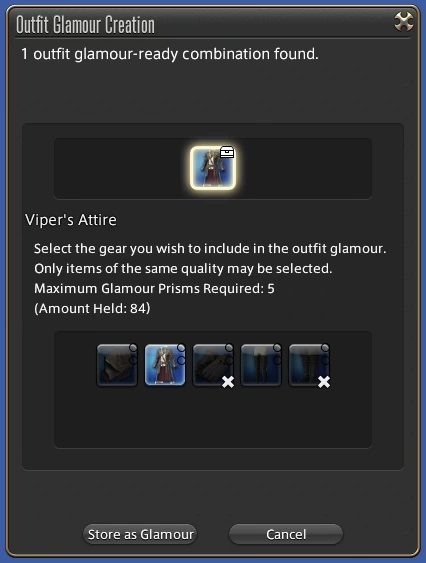
The official creation window identifies included and missing pieces and shows the prism requirement for that selection. Its displayed cost belongs to the example, not to every outfit.
To add pieces to an outfit you already stored:
- In the Glamour Dresser, open the subcommand menu and select Add Missing Outfit Gear.
- Choose Outfit Glamour on the additional pieces you want to store.
- Check the prism requirement for the pieces being added.
This is a manual addition to the stored outfit. Keep track of what you actually placed in the dresser rather than assuming every item you once owned was automatically collected.
Read the Outfit Count Before Searching for a Missing Piece
The Outfits tab displays how many pieces are in a stored outfit glamour. Orange means all possible pieces are present; white means pieces are missing.
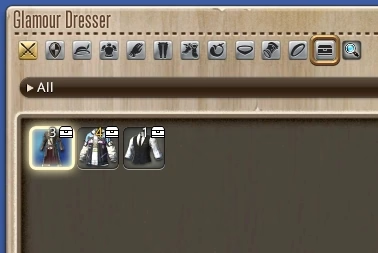
A partial outfit can be intentional. Check its count and included pieces before acquiring another item or spending prisms to add it. The storage improvement helps organize the pieces you choose to keep; it does not announce an automatic permanent collection of all previously owned gear.
Cover and interface images: Square Enix's official patch 7.4 examples.