Key Takeaways
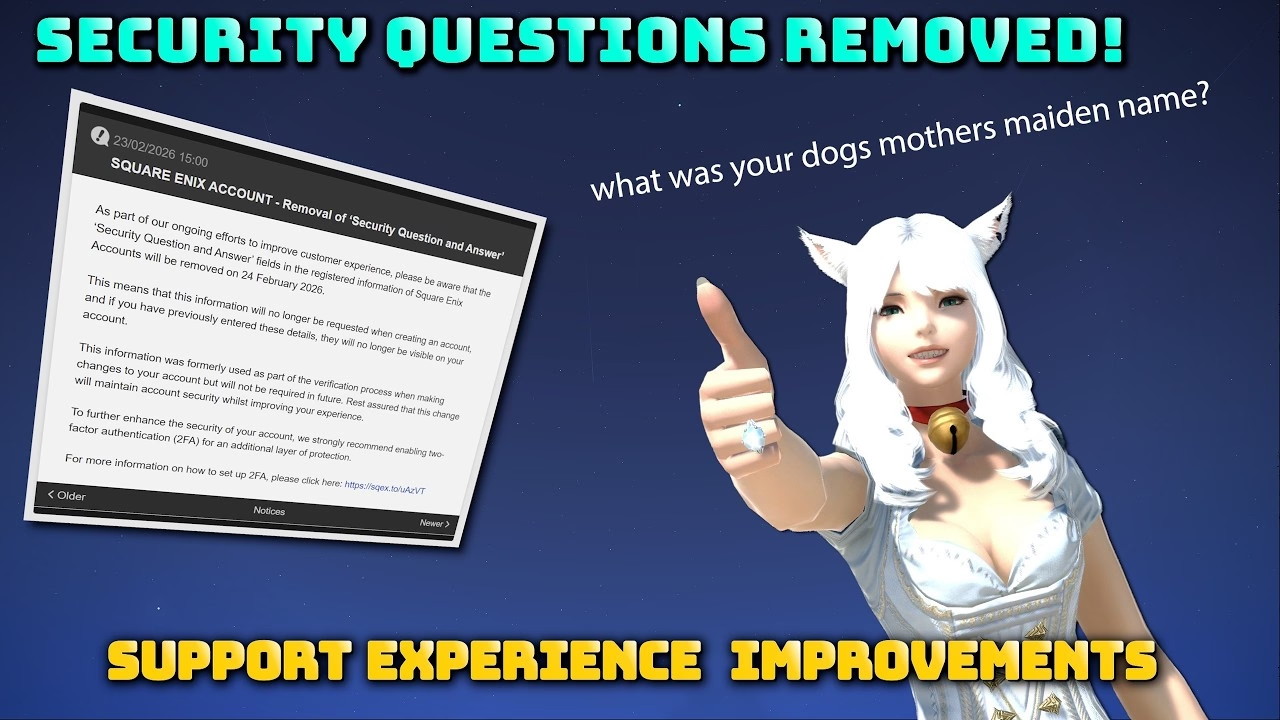
- Square Enix removed the Security Question and Answer fields from all Square Enix accounts, effective February 24, 2026.
- The change covers both Final Fantasy XIV and Final Fantasy XI accounts and requires no action from existing players.
- One-time password two-factor authentication is now the recommended account-protection layer.
- An authenticator app such as Google Authenticator or Microsoft Authenticator adds 2FA in minutes; a physical Square Enix Security Token is the hardware alternative.
- Square Enix closed its own Software Token app to new registrations back in November 2023, so new users set up a third-party authenticator instead.
- Platform migration friction, such as moving a Steam-linked account toward another platform, is a separate unresolved issue this change does not touch.
With the headline facts in place, here is what the removal actually means for your account.
What Square Enix Changed
Square Enix has removed the Security Question and Answer fields from Square Enix accounts. The change took effect on February 24, 2026, and was confirmed in the official Lodestone announcement. It applies to every Square Enix account, so Final Fantasy XI players are covered alongside Final Fantasy XIV players.
If you already have an account, there is nothing to do. The fields simply stop being part of the verification flow. The change quietly retires a verification method that caused more support headaches than it ever prevented break-ins, and Square Enix has framed it as a step toward smoother, more secure account management.
Why Security Questions Were a Weak Point
Security questions have aged badly as a protection method, and three problems stand out.
First, the matching was unforgiving. Every detail had to be reproduced exactly: capitalization, spacing, punctuation. Players who set an answer years ago routinely failed verification not because they had forgotten the answer but because they had forgotten how they typed it.
Second, the answers were rarely secret. A mother's maiden name, a first pet, a hometown: this is exactly the information an attacker can dig up through social media or simple social engineering. A question whose answer is publicly discoverable is not a real second factor.
Third, the method gave a false sense of security. It looked like protection while adding little, and it no longer lined up with how account safety is handled across the rest of the industry. Retiring it removes a confusing step without weakening anything that mattered.
Two-Factor Authentication: The Stronger Replacement
With security questions gone, one-time password (OTP) two-factor authentication is the protection layer that actually carries weight, and Square Enix strongly encourages every player to enable it. Instead of relying on a static answer that never changes, 2FA generates a fresh six-digit code on a short rotating timer. An attacker who steals your password still cannot log in without the current code from your device.
Square Enix supports two routes. The first is a software authenticator app: Google Authenticator and Microsoft Authenticator both work, alongside other standard authenticator apps. The second is the physical Square Enix Security Token, a small keyring device that displays the rotating code. One detail the announcement does not spell out: Square Enix closed its own Software Token app to new registrations back in November 2023, so new players should set up a third-party authenticator rather than hunting for the old first-party app.
Setting Up One-Time Passwords on Your Account
Enabling OTP takes a few minutes from the Square Enix account management page:
- Install a standard authenticator app on your phone, such as Google Authenticator or Microsoft Authenticator.
- Sign in to Square Enix account management and open the One-Time Password settings.
- Scan the displayed QR code with the authenticator app to link it.
- Enter the six-digit code the app generates to confirm the pairing.
- Save your recovery details somewhere safe in case you ever lose the device.
That last step is the one players skip most often, and it matters: if you lose the phone or token tied to your account, recovery runs through Square Enix support rather than a self-service reset. Keeping a backup record turns a multi-day support ticket into a quick fix.
What Is Still Awkward About Square Enix Accounts
The security-question removal is a clear improvement, but it does not fix everything about Square Enix account management. Two rough edges remain worth knowing about.
The support request process is still cumbersome. Locating the right form and submitting a ticket is harder than it should be, and players who do hit an account problem often describe the website itself as the obstacle.
Platform migration is the other sticking point. Moving an account between platforms, such as a Steam-linked account toward Xbox, is constrained by how Square Enix structures service accounts, and a Steam link in particular is permanent once set. That friction is separate from security questions and is not resolved by this change, so treat it as its own unfinished item rather than something the February update addressed.
Frequently Asked Questions
When did Square Enix remove security questions?
The Security Question and Answer fields were removed from Square Enix accounts effective February 24, 2026. The change was confirmed through an official Lodestone news post and applies automatically.
Do I need to do anything as an existing player?
No. Existing Square Enix accounts require no action. The security-question fields simply stop being part of the verification process. The recommended step is optional but strongly advised: enable one-time password two-factor authentication if you have not already.
Does this affect Final Fantasy XI accounts too?
Yes. The change applies to all Square Enix accounts, so Final Fantasy XI players are covered alongside Final Fantasy XIV players. It is an account-level change rather than a game-specific one.
What replaces security questions for account protection?
One-time password two-factor authentication is the recommended replacement. It generates a rotating six-digit code through an authenticator app or a physical Square Enix Security Token, which is far harder to bypass than a static security answer.
Which authenticator apps work with a Square Enix account?
Standard authenticator apps work, including Google Authenticator and Microsoft Authenticator. Square Enix also offers a physical Security Token. Note that Square Enix's own Software Token app stopped accepting new registrations in November 2023, so new players should use a third-party authenticator.
What happens if I lose my 2FA device?
If you lose the phone or token linked to your account, recovery is handled through Square Enix support rather than a self-service reset. Saving your recovery details when you first set up the one-time password keeps that situation from locking you out for long.
Is two-factor authentication required to play FFXIV?
No. Two-factor authentication is strongly recommended but not mandatory. You can still log in with just your password, though doing so leaves the account meaningfully less protected than enabling one-time passwords would.
Maintained by WowCarry's Final Fantasy XIV team. Last reviewed 2026-05-21 against the official Square Enix Lodestone announcement on the removal of the Security Question and Answer feature.