Use the Planner to Inspect a Build Before Copying It
Wowhead's Diablo 4 Build Planner is a third-party tool for assembling and sharing character setups. Browse its community build directory, then check a build's version, purpose and required equipment before committing your own materials or changing your character.
Wowhead introduced its community-sharing feature during Season of Blood in October 2023. The planner belongs to Wowhead. References to Vampiric Powers in that launch coverage describe the 2023 seasonal system, rather than a requirement for every current Diablo 4 build.
What the Original Community Feature Added
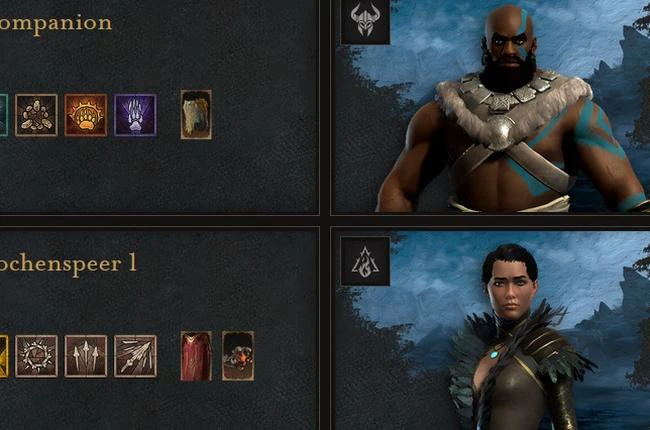
Wowhead's October 20, 2023 creator announcement described saving setups in shareable form, browsing community and editorial builds, and using tags to distinguish their intended activities. It included examples for leveling, endgame play and boss encounters.
That makes the directory a starting point for comparison. A saved setup records the author's choices; it does not by itself establish that those choices remain available, affordable or effective on your current game version.
Five Checks That Make a Community Build Useful
Read the build's explanation as well as its selected gear. A complete equipment list can still leave out the starting conditions that make the setup work.
| Check | Question to answer | What to do with the answer |
|---|---|---|
| Version and realm | Which patch, season and character environment does the author describe? | Use a matching version; treat an old seasonal setup as a historical example. |
| Activity | Is this for starting a character, clearing packs, surviving difficult content or fighting a boss? | Compare builds designed for the activity you actually intend to play. |
| Required pieces | Which items or effects are essential, and which are optional upgrades? | Choose a working entry setup if you do not own the enabling pieces. |
| Character progression | Does the plan assume levels, points or unlocked systems you do not yet have? | Look for a progression order rather than copying only the finished character. |
| Evidence | Does the explanation identify its patch, interactions and observed results? | Separate a theorycraft, a demonstration and a supported performance claim. |
📌 A build listing is not a benchmark: popularity, a memorable name or an impressive completed inventory does not establish a measured damage result. Read the author’s conditions and evidence before treating a ranking as applicable to your character.
Adapt a Build Without Losing Its Core Interaction
Ask what the build needs to function before replacing gear at random. Identify the main damage skill, how it is sustained, and the defensive tools the author expects you to use. Distinguish the pieces that enable the interaction from the pieces that merely improve a number.
Use an explained starter version when available. Keep a copy of your working setup before changing it.
Compare Two Candidates in the Same Activity
Compare candidates in the same task and difficulty, rather than comparing a farming run with a boss attempt.
- Choose one activity and difficulty both setups can attempt sensibly.
- Read each build’s intended action sequence and requirements before trying it.
- Observe completion, survival, resource interruptions and how often you must stop.
- Change one important component at a time and repeat under similar conditions.
- Keep the setup that solves your actual task reliably; record exceptional drops or unusual interruptions separately.
These observations can guide your own choice without treating an unmeasured damage estimate as a promised result.
Keep PTR Experiments Separate
Check whether a test build’s features actually reached the live game. The Season 4 PTR planner archive covers the April 2024 announcement and its original limitations.