Key Takeaways
- The Strategy Board was added in Patch 7.4 and supports up to 50 saved strategies, organized into folders of up to 10 boards each.
- Four field shapes — Checkered, Circular, Square, and Gray — let you match the board to different boss arenas and raid layouts.
- Built-in presets cover cardinal waymarks (A/B/C/D), intercardinal waymarks for eight-point spreads, and light-party stack formations.
- Share codes enable direct import from community tools like raidplan.io and ffxivstrats.io without leaving the game client.
- Real-time editing lets a raid leader move icons live while party members watch the changes on their own screens.
- Each board caps at 50 objects total; text labels are more restricted, so strategy descriptions must stay concise.
- Share codes are currently too long for full Party Finder listings — shortening and direct PF integration are the top community wishlist items.
With those highlights covered, the rest of this guide breaks down each feature in detail.
Exploring the Strategy Board in FFXIV
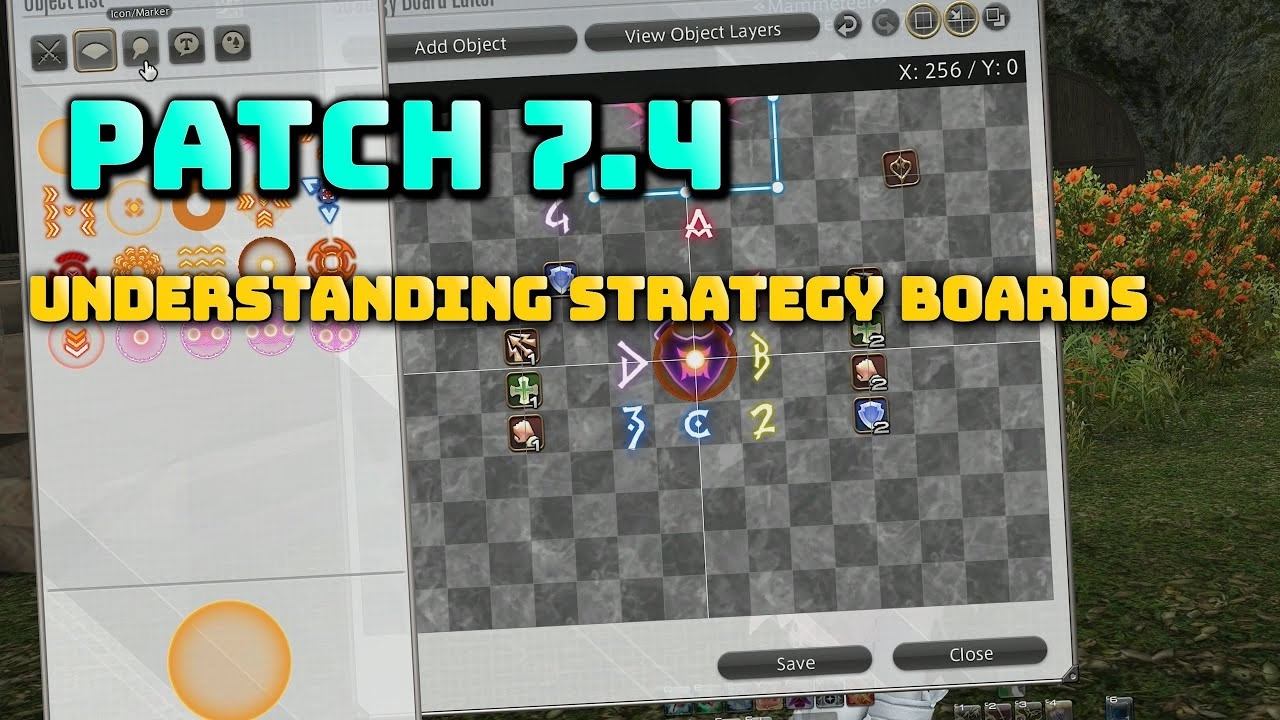
The Strategy Board is an in-game planning tool added in Patch 7.4 of FFXIV, designed to replace the external screenshots and raidplan.io links that raid groups have been trading since Endwalker. Players can create strategies solo or share them with the party in real time, with support for up to 50 saved boards. Its arrival signals Square Enix acknowledging that the community strategy-planning ecosystem — previously split across a dozen third-party tools — deserved a native home inside the client.
Setting Up Your Strategy
The Strategy Board offers three starting points: a blank canvas, a preset layout, or an imported share code. The first decision is the field shape, which determines the visual background the icons appear against.
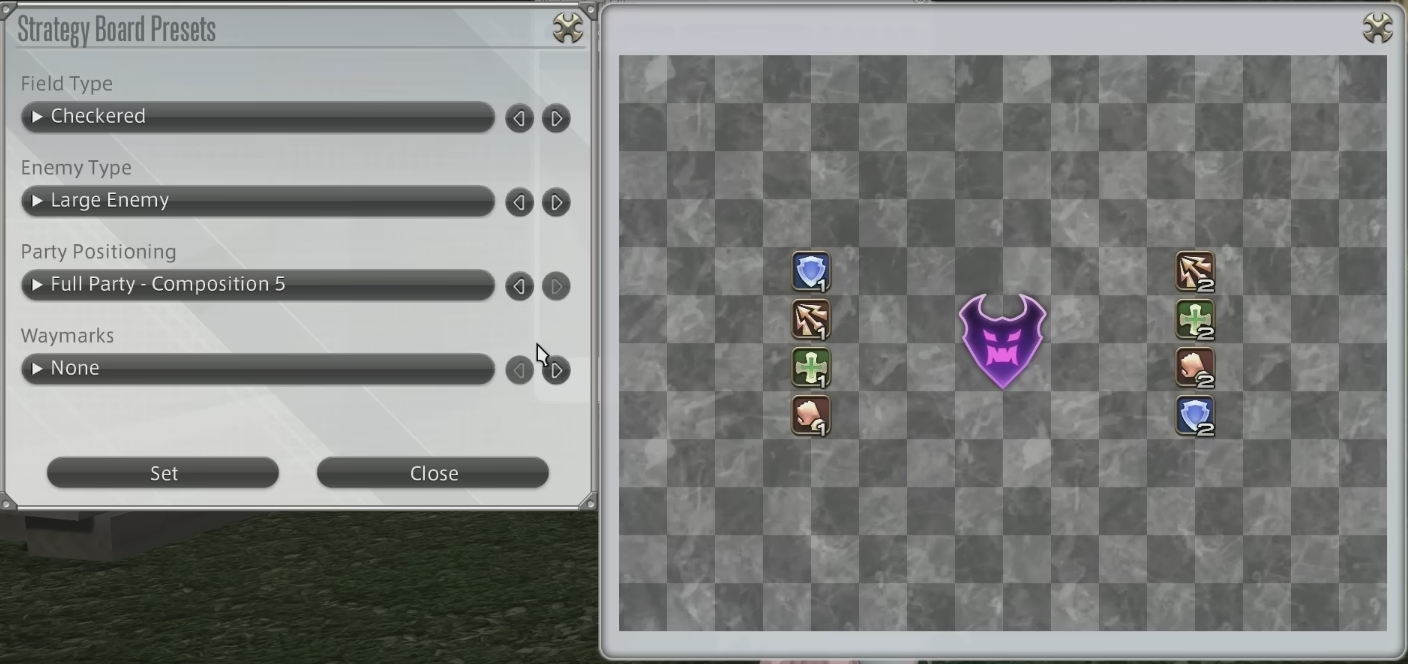
From there, configure three dimensions before placing icons:
- Field Types: Checkered (general melee positioning), Circular (bosses with radial mechanics), Square (simplified arenas), Gray (minimal, less distracting).
- Enemy Sizes: Large, Medium, or Small hitbox icons — match the boss you're planning around.
- Party Composition: Light Party (4 players), Full Party (8 players), or alternative compositions for variant content.
Choosing the right field type from the start prevents awkward repositioning once icons are placed.
Using Presets and Customizing
Presets accelerate common setup patterns. Cardinal waymarks (A, B, C, D) and intercardinal waymarks handle eight-point spread positioning out of the box, while party-position presets cover standard formations like light-party stacks for specific mechanics.
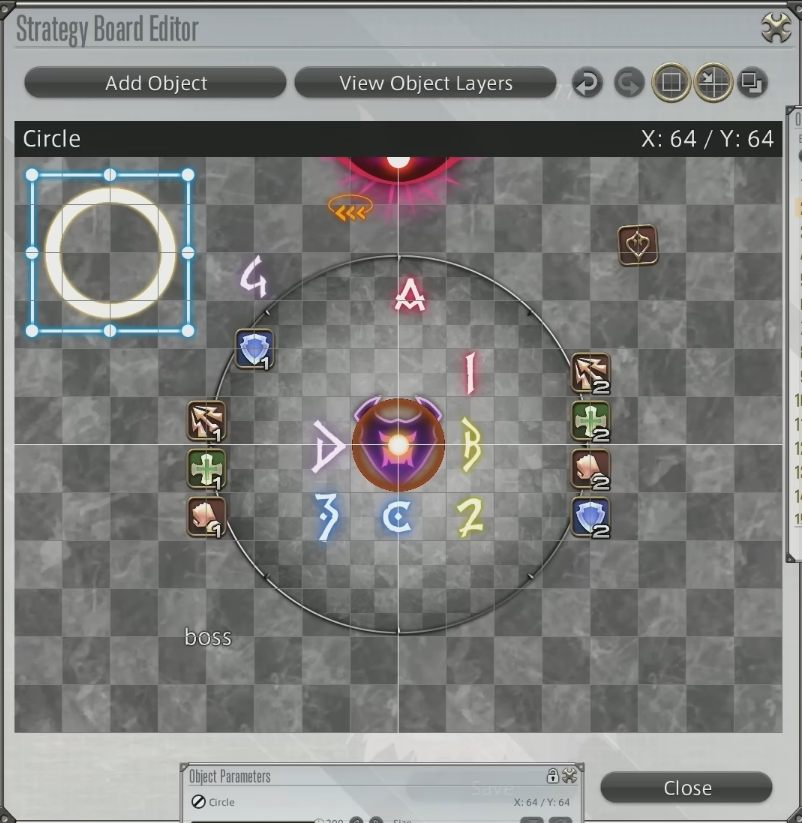
Presets are a starting point, not a ceiling — any preset can be edited freely once loaded, giving full control over final icon placement without rebuilding from scratch each time.
Customization Features
The Strategy Board allows extensive personalization for complex raid setups. Key tools include resizing and repositioning class/job icons, adding mechanic markers such as linear knockbacks, radial knockbacks, area effects, gaze indicators, and lines of attack.
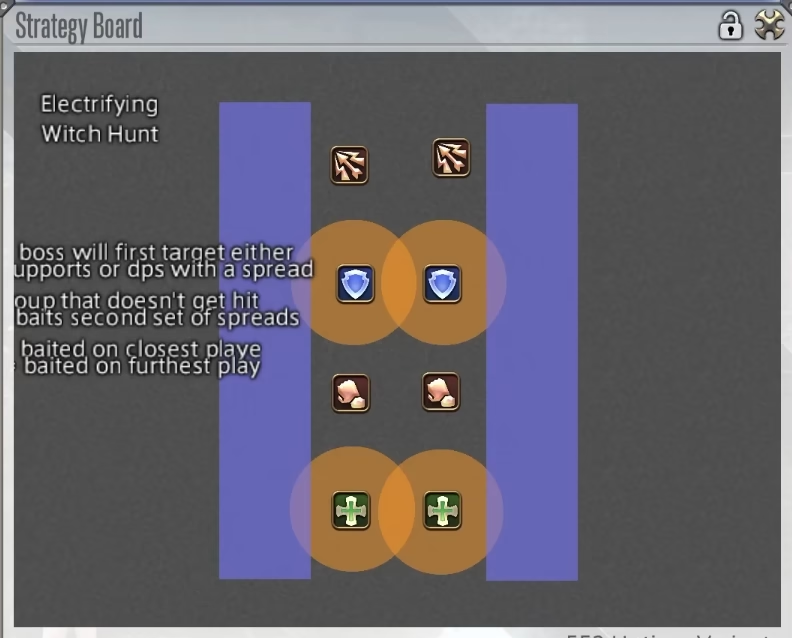
Objects can be layered and rotated, which is essential for accurately mapping out multi-hit mechanics or staggered AoE patterns. Each board caps at 50 objects total, so complex fights may require splitting phase-by-phase across separate boards within the same folder.
Sharing and Collaboration
The Strategy Board's most powerful feature is live party sharing. A raid leader can push the board to every party member's screen in real time, then move icons during the fight while everyone watches. This replaces the common workflow of pasting a Discord screenshot and hoping everyone is looking at the same version.
For distribution before the party forms, the board generates a share code. Players can export a code from any saved board and post it in party finder descriptions or linkshells. Importing the code loads the full layout instantly — no manual recreation. Folder sharing extends this: an entire folder of boards can be transferred at once, which is useful for multi-phase fights where different boards cover each phase.
Community strategy sites have already built share-code integration. Platforms like raidplan.io and ffxivstrats.io host player-submitted strategies — copy the share code from the site, paste it into the Strategy Board, and the layout appears in your saved list. These sites also post community submissions for current Savage content, so a player joining a progression party can import the group's preferred strategy before the first pull.
This breakdown covers the main field types and their typical use cases:
| Field Type | Suitable For |
|---|---|
| Checkered | General melee positioning |
| Circular | Bosses with radial mechanics |
| Square | Simplified arena environments |
| Gray | Generic, less distracting setup |
Players who want to use the board as a persistent on-screen reference during a fight can place timeline reminders or key mechanic cues in the bottom-right corner of the screen, keeping phase transitions visible without opening the full board.
Enhancements and Limitations
The Strategy Board is genuinely useful, but it has rough edges that the community has already flagged.
- Share Code Length: Current share codes are too long to fit comfortably in Party Finder listings, which typically allow only a couple of lines. Shortening the codes — or encoding them as a compact URL — would make pre-party distribution much easier.
- Party Finder Integration: Allowing share codes to appear as a dedicated field in Party Finder criteria would let prospective members preview the strategy before joining, reducing the churn of players leaving once they see an unfamiliar strat.
- Quick Strategy Preview: A single-button preview of a board while browsing Party Finder listings would save time and improve group coordination from the first pull.
Despite those gaps, the Strategy Board is already a net improvement over the external-tool patchwork. Its real value is in Party Finder groups, where a shared board removes the "everyone open the Discord link" step that previously broke momentum before the first pull.
- Automatic strategy preview for new recruits
- More detailed in-game annotations
- Easier share code generation and compression
Player feedback since launch has already shaped a roadmap of improvements, so these limitations are likely to shrink with each subsequent patch cycle.
Frequently Asked Questions
What is the FFXIV Strategy Board?
The Strategy Board is an in-game tool added in Patch 7.4 that lets players create, save, and share raid encounter layouts. It supports up to 50 saved strategies per character and includes real-time sharing so an entire party sees the same board simultaneously.
When was the Strategy Board added to FFXIV?
The Strategy Board was introduced with Patch 7.4 "Into the Mist," which released on December 16, 2025 alongside the AAC Heavyweight Savage raids.
How many strategies can I save on the Strategy Board?
Players can save up to 50 strategies per character. Boards are organized into folders, with each folder holding up to 10 boards. For a large progression tier, separate folders by phase or boss are the most practical approach.
Can I share my Strategy Board with party members in real time?
Yes. Selecting "Share with Party" pushes the board to every party member's screen live. A raid leader can also move icons during a fight, with all members seeing the changes in real time — removing the need to describe positioning verbally.
What are share codes in the FFXIV Strategy Board?
Share codes are exportable strings that encode an entire board layout. Any player who imports the code gets the full board instantly. Codes can be posted in Party Finder descriptions, Discord channels, or community strategy sites.
Can I import strategies from raidplan.io or ffxivstrats.io?
Yes. Both raidplan.io and ffxivstrats.io support FFXIV share-code export. Copy the code from the external site, open your Strategy Board in-game, and paste the code to import the full layout directly.
What is the object limit per board?
Each board supports up to 50 objects. Text labels count against this total and are more constrained than icons, so strategy descriptions need to be concise. For fights with many mechanic markers, split the board across two phases stored in separate boards within the same folder.
Is the Strategy Board useful for Party Finder groups?
Yes, though share code length is currently a limitation for PF listings. The most effective workflow is to include a shortened community link in the PF description and import the full board once the party is assembled. Real-time sharing then handles live coordination during pulls.