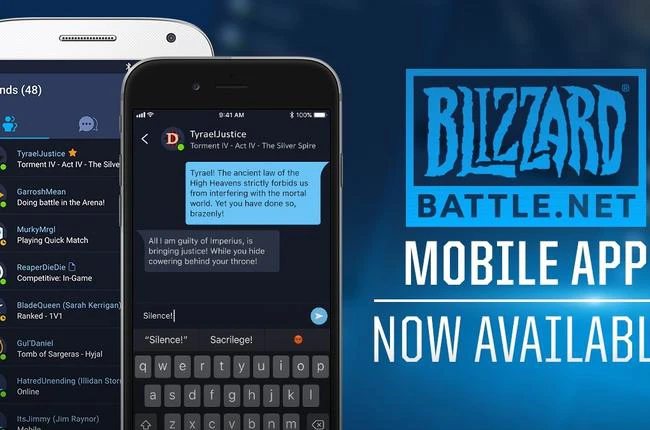
The January 2024 Migration Deadline Has Passed
The standalone mobile Authenticator’s migration deadline was January 5, 2024. For setup today, use the Authenticator inside the Battle.net Mobile App. For a lost or replaced phone, choose a restoration or account-recovery route according to the access you still have.
Blizzard’s original migration announcement said the old app could disappear from app stores as early as January 1, 2024. After the January 5 deadline, Blizzard would begin removing unmigrated mobile Authenticators, resetting affected account passwords and notifying those players. That describes the retirement process; it does not mean every later missing-Authenticator problem has the same cause.
Set Up a Mobile Authenticator on an Account
The current attachment instructions require an iOS or Android device, an internet connection, your account credentials, access to your email and a phone number eligible for Battle.net Phone Notifications.
- Install the app through Blizzard’s official mobile download page and sign in to the intended Battle.net account.
- Follow the Authenticator setup prompt and verify the phone number when requested. If no prompt appears, open the app’s menu and select Authenticator.
- Wait until setup completes. Keep the serial number and restore code privately with your recovery details.
Adding a first Authenticator can sign you out of the desktop app, games and other mobile sessions. Finish setup before assuming that sign-out indicates a login failure.
Replacing a Phone: Match the Recovery Route to Your Access
A phone replacement and a phone-number change are different problems. Check which of these applies before discarding an old device or repeating setup:
| Your situation | Supported next step |
|---|---|
| You can still use the previous device. | Approve the sign-in with the existing Authenticator, then enable Authenticator in the Battle.net app. |
| The old device is gone, but you saved its serial number and restore code. | Use Restore Authenticator and enter the saved details privately on your new device. |
| You cannot use the old Authenticator, but still receive texts at the registered number. | Use Can’t Log In and the SMS verification flow to remove the old attachment before setting up again. |
| You cannot verify by SMS and have no usable restore details. | Use account recovery or Blizzard Support for assistance. Reinstalling the app does not resolve account ownership verification. |
Blizzard’s Authenticator recovery guidance directs players who cannot sign in to account recovery, then support assistance if needed. If the registered number has changed, resolve that number through the supported account-recovery process; a code sent to the old number will not arrive on a different one.
SMS Eligibility Matters During Setup and Recovery
Battle.net Phone Notifications supports eligible text-enabled mobile numbers in supported countries. Messaging apps such as WhatsApp are not substitutes for carrier SMS, and VoIP numbers are excluded. A number can be attached to only one Battle.net account.
If you replace a handset while keeping the same number, phone notifications remain associated with that number. SMS can assist with account identification, unlocking, a lost Authenticator and password-reset approval, but the recovery flow still determines what verification is required.
WoW Benefits: Bag Slots and the Pet Have Different Rules
Checked October 25, 2026, Blizzard’s current support articles distinguish these benefits:
| Benefit | Requirements and supported scope |
|---|---|
| Four extra primary backpack slots | Authenticator plus Phone Notifications. Current support names Modern WoW, Mists of Pandaria Classic and WoW Classic Era. |
| Core Hound Pup | An attached Authenticator. Modern WoW only; the support article lists North American, European, Taiwanese and Korean realms. |
| Custom text in Modern WoW Group Finder listings | Authenticator plus Phone Notifications. Allow up to 60 minutes and relog after enabling both. |
The current backpack support article explicitly includes the two named Classic versions for the bag slots. The Classic exclusion in the old migration announcement is historical; it should not replace today’s specific backpack eligibility rules.
For bags, allow up to 30 minutes after enabling both features, then log out and back in. If the slots remain unavailable, follow Blizzard’s linked UI troubleshooting instructions before assuming the benefit was not applied.
The general Authenticator guide limits the Core Hound Pup to Modern WoW. Removing the Authenticator makes the pet disappear after logout. Removing either the Authenticator or phone number also removes the extra backpack space; items are moved to other free bag slots, or handled through the support article’s space-and-mail rules.
Disabling the App Is Different From Detaching the Account
Disabling the Authenticator on a device does not detach it from your Battle.net account. Use the account’s Security settings and complete its verification if you need to remove or update the attachment.
If a physical Authenticator is still attached, Blizzard’s mobile setup guidance requires removing that attachment before enabling the mobile version. The January 2024 announcement concerned the retired standalone mobile app; use the recovery instructions for the device and access you actually have.