Start with One Shared Bank Tab
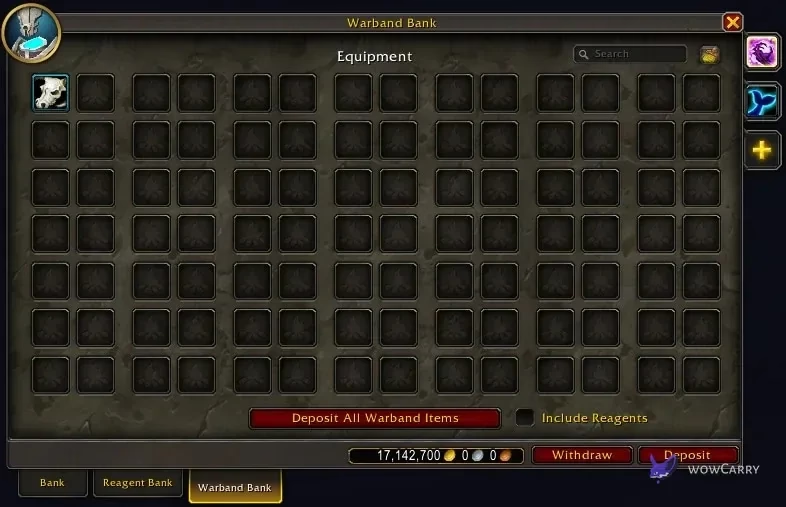
The Warband Bank lets your WoW Retail characters share eligible items, crafting reagents and deposited gold. Visit a banker, open the Warband Bank and buy the storage you need. The first 98-slot tab costs 1,000 gold; all five cost 3,126,000 gold. You can use the first tab without buying the expensive later ones.
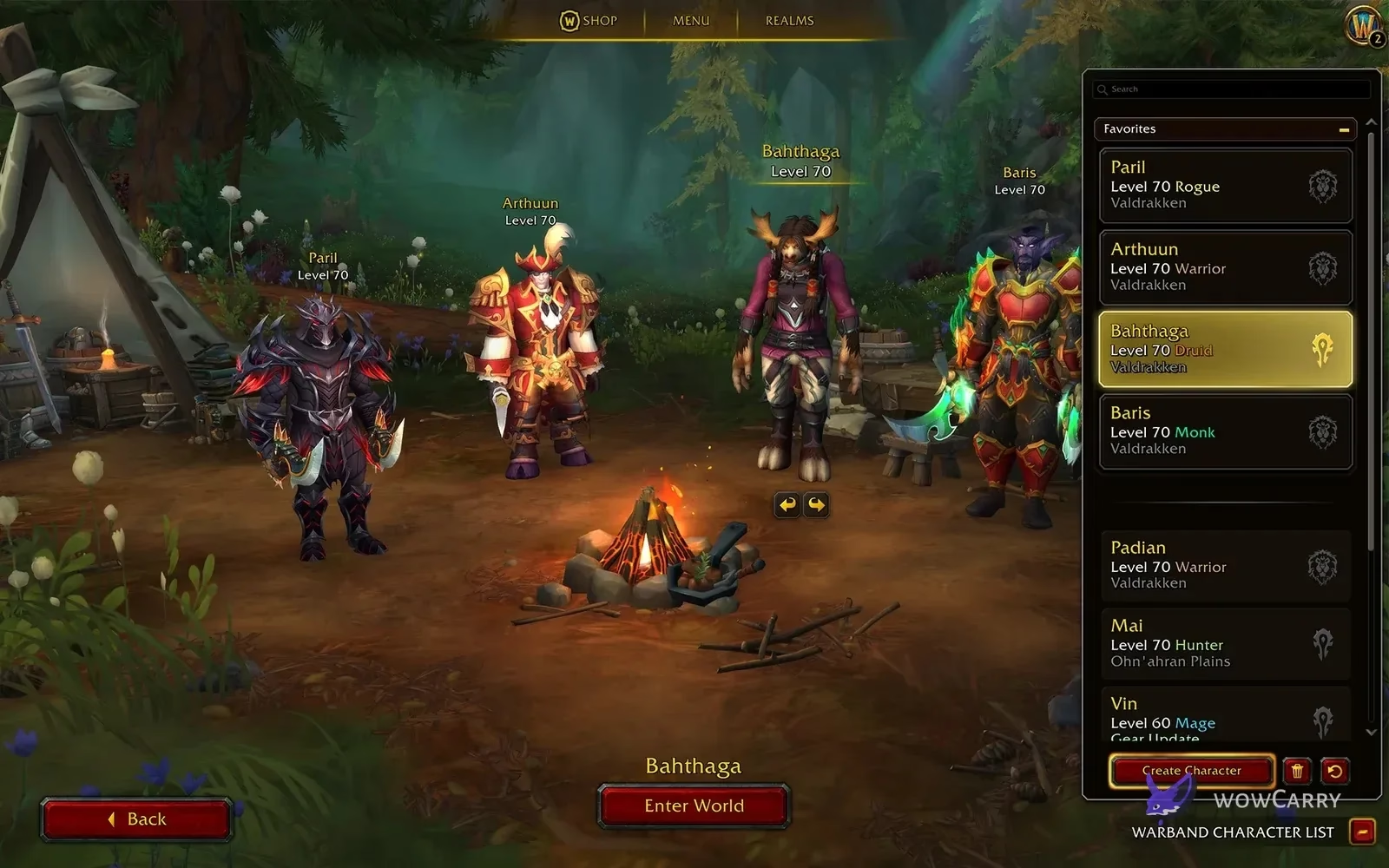
Warbands span characters on the same Battle.net account within one region, including different realms, factions and WoW subscriptions. They do not combine separate Battle.net accounts or regions, and these instructions do not describe Classic or WoW Forever banking.
All Five Tab Prices and Storage Totals
Each tab is a one-time purchase for the Warband. The later tabs expand capacity; they do not make the first tab better at transferring items or gold. The price schedule is documented in the community-maintained Warcraft Wiki Warband Bank reference; Blizzard's original system overview confirms the five-tab, 98-slot design.
| Tab | Price of this tab | Total spent through this tab | Total slots |
|---|---|---|---|
| 1 | 1,000 gold | 1,000 gold | 98 |
| 2 | 25,000 gold | 26,000 gold | 196 |
| 3 | 100,000 gold | 126,000 gold | 294 |
| 4 | 500,000 gold | 626,000 gold | 392 |
| 5 | 2,500,000 gold | 3,126,000 gold | 490 |
A practical starting point is one tab for consumables, reagents and gear waiting for an alt. Add a second when that working space is consistently full. Buying every tab immediately ties up far more gold than buying the initial shared storage, so make that choice around your actual inventory.
Move Gold Between Characters
Depositing gold takes it out of the current character's bags and puts it in the shared bank balance. Withdrawing moves it back to the character making the withdrawal. A character on another realm or faction can receive that deposited gold if it belongs to the same regional Warband.
- On the character supplying gold, visit a banker and select the Warband Bank.
- Use Deposit and confirm the amount. Check that the shared bank balance increased.
- Log onto the receiving character and open that same Warband Bank at a banker or through unlocked remote access.
- Use Withdraw for the amount that character needs, then check its carried balance before leaving.
Keep enough gold on each regularly played character for immediate expenses. Gold visible in a shared bank is not the same as gold already in that character's wallet. Treat non-gold currencies separately: a currency that supports Warband transfers uses its own transfer controls, and currencies without that option cannot be made transferable by placing something in the bank.
What You Can Store and Craft From
Blizzard's Warbands system preview describes shared storage for non-soulbound items and access to stored crafting reagents. Read an item's binding text before moving it, particularly when gearing several characters.
| Item or resource | How to handle it |
|---|---|
| Unbound materials and consumables | Store them for characters in the same regional Warband. |
| Warbound or Warbound until Equipped gear | Transfer before equipping. WuE gear becomes Soulbound when equipped. |
| Soulbound gear | Do not expect the Warband Bank to move it to an alt. Shared storage does not remove binding. |
| Crafting reagents | Eligible stored reagents can be used for crafting without first withdrawing them. |
| Deposited gold | Use the separate Deposit and Withdraw controls rather than an inventory slot. |
Use names and icons that explain each tab's job: materials you actively craft with, consumables for the roster, and gear awaiting a particular alt. Keep character-bound gear in the personal bank. That makes it easier to distinguish “I cannot find it” from “this item was never eligible for shared storage.”
Unlock the Warband Bank Distance Inhibitor
The portable access ability comes from the Warbanding Together storyline in and around Gadgetzan. Finish the storyline rather than stopping when you first meet Blue. Blizzard's Warbands launch guide identifies the reward as the Warband Bank Distance Inhibitor spell, with a portal lasting 10 minutes and a base cooldown of four hours.
After unlocking it, look in your spellbook and put the ability on an action bar. It was a toy during development, which is why older previews can send players to the wrong place. Remote access opens the shared bank; it does not buy tabs for you or create a separate inventory.
📌 Do not wait for Dynamic Duo: the Gadgetzan storyline unlocks the Warband Bank Distance Inhibitor. Buying tabs and earning leveling achievements are separate progression tasks.
The spell's displayed cooldown is the useful value for your character. Account achievement rewards can reduce it, so another player's shorter cooldown does not establish that your spell is broken.
Troubleshoot the Problem You Actually See
Start at an ordinary city banker. That separates a shared-bank access problem from a remote spell you have not unlocked or cannot currently use. Note the exact error message before trying fixes.
| Symptom | First check | Next step |
|---|---|---|
| No usable storage tab | Have you bought the first Warband Bank tab? | Select the shared-bank purchase option; personal-bank storage is separate. |
| Remote spell missing | Is the Gadgetzan Warband storyline finished? | Check the spellbook after completing it; the release reward is a spell. |
| An item will not deposit | Is the item Soulbound? | Shared storage does not bypass item binding. |
| Gold is visible but not on this character | Is it still in the shared-bank balance? | Withdraw the amount this character needs. |
| Another Warband member is using the bank | Are multiple WoW licenses logged into the same Battle.net account? | Blizzard documents access for the character that logged into the realm first. End other sessions and retry with the intended character first. |
| Bank unavailable across characters | Is there an announced service issue? | Check current Blizzard notices before assuming that items or gold were deleted. |
If the ordinary banker also fails with no overlapping account session or announced outage, record the character, realm, time and exact message for a support report. A relog can help distinguish a temporary session state, but this guide does not promise it will repair every server-side problem.
📌 Several WoW subscriptions still share one Warband: a second subscription on the same Battle.net account does not create an independent shared bank. Characters in different regions remain separate.