How the WoW Ping System Works in Patch 12.1 Curse of Ula'tek
WoW's Ping System marks terrain, units, unit frames, and interface elements without typing. Quick Ping taps for a contextual signal and holds for the radial wheel; Relaxed Ping activates first, then clicks for context or click-drags for the wheel. Patch 12.1 also shares supported spell, item, health, and healer-mana status. Use a reachable bind, clear rules, and the ping type that tells teammates what to do next.
Key Takeaways
- The Ping System defaults to G only when that key is free; open Keybindings and assign Ping yourself if G already controls another action.
- Quick Ping sends a contextual signal on release and opens the radial wheel on hold, while Relaxed Ping separates activation from the following click or drag.
- The system sends Standard as its neutral contextual call, while the radial wheel selects Attack, Assist, Warning, or On My Way.
- Patch 12.1 adds pings for supported action-bar spells, Cooldown Manager entries, certain items, and player health or healer mana.
- WoW group leaders can restrict pings to leaders and assistants, while ignored players have their pings silenced by the native system.
- The Ping System's environment-only, units-only, or combined target option helps prevent a ground call from snapping to the wrong unit in crowded fights.
Set up the basic bind and mode first, then test terrain, unit, and interface pings with a party member before relying on them during a mechanic.
How to Enable and Keybind WoW Pings
Press Esc, open Options, and search for Ping System. The search route is safer than memorizing a menu branch because localized clients and later interface revisions can move labels. Confirm that pings and ping sounds are enabled, choose Quick Ping or Relaxed Ping, and review whether pings should target the environment, units, or both.
- Open Esc > Options and enter Ping System in the search field.
- Enable the Ping System and decide whether its sound should play.
- Open Keybindings, search for Ping, and assign a reachable key or mouse button.
- Choose Quick Ping or Relaxed Ping in the Ping System settings.
- Select environment only, units only, or both according to the content you are testing.
- Join a party and test one ground ping, one unit ping, and the radial wheel.
Blizzard originally assigned G when the feature launched. If G already had another function, Ping was left unbound. Treat G as a suggestion, not a guaranteed current bind. Individual ping commands may also be bound directly when one signal matters more than the wheel.
| Mode | Contextual ping | Radial wheel | Best fit |
|---|---|---|---|
| Quick Ping | Press and release the Ping bind | Press and hold, then choose a direction | Fast mouse or keyboard play where one action must finish immediately |
| Relaxed Ping | Press the Ping bind, then click | Press the Ping bind, then click and drag | Players who want a deliberate second input before sending |
| Direct bind | Sends the assigned ping type | No wheel required | Consistent Warning or Attack calls under pressure |
📌 Binding mistake: Do not place Ping on a key that also carries a frequent modifier combination until you have tested it. A wheel opening during a movement or combat chord is a binding conflict, not a reason to disable every ping.
Once the input feels reliable, give each ping type a stable meaning so the group does not have to interpret it in the middle of combat.
What Every Ping Type Means
The system has five practical signals. Standard, sometimes described as Look Here, draws attention without prescribing an action. Attack identifies a hostile unit or priority. Warning marks danger or a place to avoid. On My Way communicates movement toward a location. Assist requests help around a unit or position. Blizzard provides distinct visual and audio cues, but those cues work only when the group uses them consistently.
| Ping | Use it for | Avoid using it for |
|---|---|---|
| Standard / Look Here | A neutral location, interactable object, route turn, or brief point of interest | A danger call that needs an immediate response |
| Attack | A priority enemy, add, orb, banner, or target switch | A general request to stack near a friendly player |
| Warning | Hazardous ground, an incoming patrol, unsafe side, or mechanic drop location | A target the group should damage |
| On My Way | Your path to an objective, flag, healer, interrupt position, or assigned area | A claim that you have already arrived or completed the task |
| Assist | A player or position that needs support, healing, peeling, or extra control | A vague marker when no teammate can tell what help is needed |
Contextual pings infer a subject from the cursor. A hostile unit suits Attack, while empty terrain suits a neutral call. Use the radial wheel when that inferred meaning would be ambiguous.
The native ping wheel is separate from raid target icons and world markers. A raid target icon labels a unit until removed or replaced. A world marker creates a persistent colored marker on terrain. A ping is a short-lived communication cue with a sender, sound, and contextual subject. Use a world marker for a planned stack point; use a ping when the plan needs to change now.
What You Can Ping in Current WoW
The target under the cursor changes the result. Terrain creates a world-space cue. A creature or player can receive a unit ping. Supported unit frames can show a ping icon. Patch 12.1 extends the same interaction to supported action-bar spells, Cooldown Manager entries, certain items, and your own resources. None of these signals casts an ability, selects a target, or changes a cooldown; they only share information.
Terrain, Units, and Unit Frames
Use terrain pings for route turns, safe ground, incoming patrols, line-of-sight corners, and temporary mechanic positions. Use unit pings when the subject is a specific enemy or ally. Target, focus, and raid frames can display ping icons when their unit is pinged, which helps teammates connect the call to a frame even when the character is off-screen or hidden by effects.
Patch 12.1 adds a targeting preference for environment only, units only, or both. Environment only is useful when a large unit or nameplate keeps capturing a ground call. Units only is useful when precise target selection matters more than terrain. Both preserves the broad contextual behavior. Change this setting for a repeated problem, not for every encounter.
✏️ Dungeon technique: Put Warning on the patrol's path and Attack on the priority caster. The different icons tell the tank where danger is moving and tell damage dealers which unit must be controlled.
Spells, Items, Health, and Mana in Patch 12.1
Patch 12.1 lets players ping supported spells from an action bar or the Cooldown Manager. The resulting message communicates the spell's current status to the group. Certain items can also be pinged, including supported trinkets, health potions, combat potions, and Healthstones shown through the Cooldown Manager. Support is selective, so an item that does not accept the interaction should not be treated as a hidden setting.
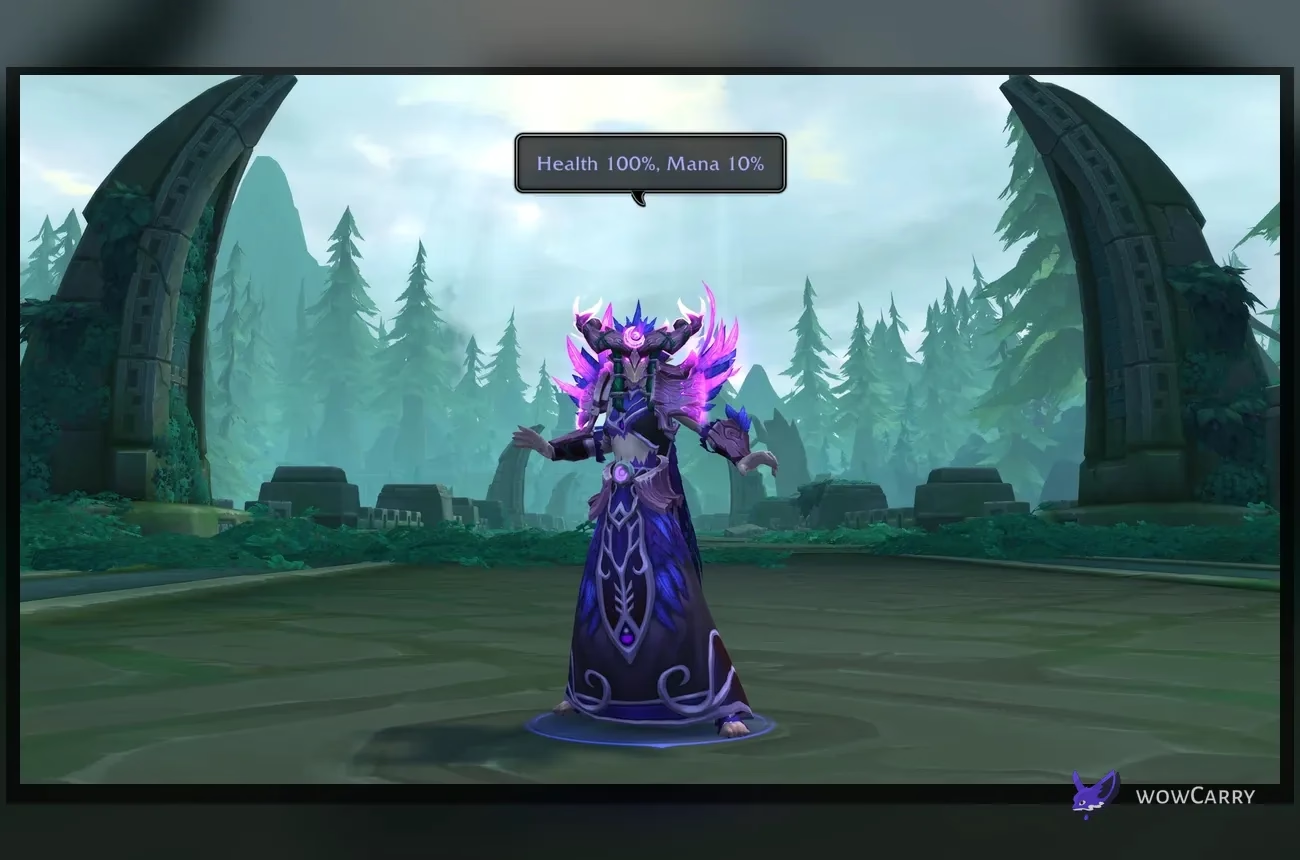
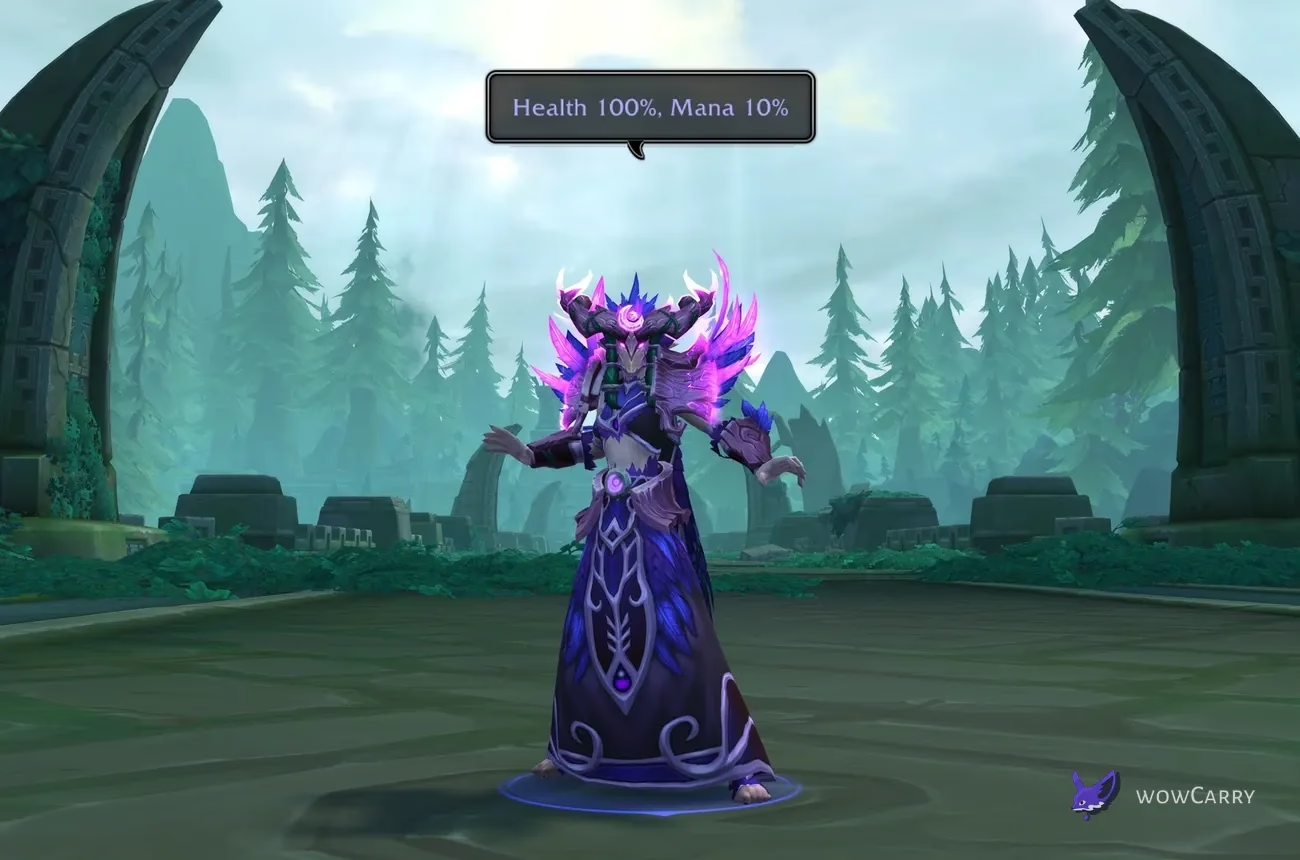
Pinging your own unit frame can share health in a chat bubble. Players in a healing role can also share health and mana. This gives the group a compact resource snapshot before a pull or during recovery; it does not replace a ready check.
| Subject | What teammates receive | Important boundary |
|---|---|---|
| Terrain | A short-lived marker at the chosen world position | Large units can intercept it unless environment-only targeting is selected |
| Unit | A marker tied to the selected enemy or ally | Use the correct type so Attack and Assist are not confused |
| Unit frame | An icon on supported target, focus, or raid frames | Frame support is not a promise for every custom interface element |
| Spell or item | Status from a supported action-bar or Cooldown Manager entry | Only exposed spells and certain items accept the interaction |
| Player resources | A chat bubble with health, plus mana for healers | The ping reports current status; it does not reserve the next pull |
Practice outside a timed pull so you can see whether the cursor hits the world, a unit, a frame, or a supported icon.
Group Permissions, Limits, Chat, and Sound
Group leaders can restrict pings to leaders and assistants from the group control menu. This suits organized raids with assigned callers, but removes the same communication channel from everyone else.
WoW also applies an anti-spam lockout after excessive rapid pinging. The interface communicates that the action is temporarily unavailable; pause instead of repeatedly pressing the bind. Blizzard does not need a published numeric threshold for the practical rule to be clear: send one meaningful call, allow teammates to process it, and repeat only if the situation changes.
Ignoring a player silences that player's pings. Chat Settings controls ping messages per window, while Ping System options control sounds. None of these settings turns a temporary ping into a persistent marker.
⚠️ Raid-lead warning: Restricting pings to leaders and assistants also blocks a non-assistant from flagging an unexpected patrol or safe gap. Assign assistants deliberately before using the restriction.
If sounds create fatigue, lower ping volume or disable the sound while keeping the visual and chat components you can read. If the marker is hard to see, preserve sound and chat while reducing other interface clutter. Accessibility comes from combining channels, not forcing every player to use all of them.
Raid, Dungeon, and PvP Ping Habits
Pings work best as a small vocabulary agreed before the pull or match. They are fast enough for unexpected changes but too short-lived to carry an entire strategy. Use persistent world markers, target markers, raid warnings, or voice for the standing plan, then use pings to identify the exact place or unit that needs attention now.
Raids and Mythic+ Dungeons
In dungeons, Standard can confirm the next route turn, Attack can identify the priority interrupt target, Warning can flag a patrol, and Assist can mark a player caught away from the group. Tanks should avoid placing several route pings at once; one cue at the next decision point is easier to follow than a chain that fades before the party reaches it.
In raids, establish whether Warning means “avoid this area” or “drop the mechanic here.” Both conventions can work, but switching between them during the same encounter cannot. For planned stack points, use world markers. For a sudden safe pocket or a moved add, use the temporary ping. Once your group has a consistent vocabulary, explore current WoW raid options if you are deciding where to practice it.
Arenas and Battlegrounds
In Arena, Attack marks the current kill target, Assist can call for help on a pressured teammate, and On My Way can show an approaching line-of-sight angle. Pings do not replace crowd-control or defensive cooldown communication because the icon alone cannot explain duration, diminishing returns, or who owns the next response.
In Battlegrounds, use On My Way for a base or flag route, Warning for an incoming group, and Attack for an exposed carrier or objective unit. Keep the same bind across PvE and PvP so the input remains automatic. Players rebuilding the rest of their frames and nameplates can review the Midnight PvP UI after the ping behavior is stable.
If a call requires a sentence, send it before the gates open and reserve the ping for the subject.
Accessibility and Controller-Friendly Setup
The Ping System can replace a hurried voice or text call with visual, audio, and chat feedback. Keep sounds on when effects hide markers, keep chat pings visible when hearing cues is difficult, and use direct binds when dragging a radial wheel is uncomfortable.
For a controller or GamePad layout, bind Ping to a reachable button or combination that does not compete with movement, targeting, or a frequently held combat modifier. WoW exposes Ping through its normal binding system, so the exact button depends on the active layout. Quick Ping minimizes the number of inputs; Relaxed Ping gives more time between activation and selection. A direct Warning or Attack bind can avoid radial precision when those are the only calls you need.
♿ Readability check: Test a ping while spell effects, nameplates, and raid frames are all visible. A cue that works in an empty city can disappear in combat unless sound, chat, or a direct unit-frame icon backs it up.
Do not depend on color alone to distinguish Attack from Warning. Learn the icon, sound, placement, and chat wording together. If another player's frequent pings are distracting, use receive-side controls or Ignore rather than removing your own ability to communicate with the rest of the group.
Ping Macros and Direct Commands
Macros can send a fixed type or direct the ping toward a unit. Blizzard's original commands are /ping, /ping attack, /ping assist, /ping onmyway, and /ping warning. A unit conditional can follow the normal macro target form, such as /ping [@target] attack. Test every macro in a group because ping delivery and permissions matter even when the command parses.
Patch 12.1 expands macro support. Blizzard documents /pingspell:1234 with a spell ID or spell name, and /pingitem:1234 with an item ID or item name. It also adds [@cursor] for ping macros; that target ignores UI and units and attempts to ping the environment under the cursor. Copy the current syntax from the official notes rather than relying on an older addon or macro post.
| Goal | Documented form | Test condition |
|---|---|---|
| Neutral cursor or contextual ping | /ping | Check whether the cursor lands on terrain, a unit, or a frame |
| Attack the current target | /ping [@target] attack | Use a valid target while grouped |
| Force an environment attempt | /ping [@cursor] | Place the cursor on visible terrain |
| Share supported spell status | /pingspell:1234 | Replace 1234 with a supported spell ID or use its name |
| Share supported item status | /pingitem:1234 | Replace 1234 with a supported item ID or use its name |
Do not use a macro to hide an unclear group convention. A perfect Warning macro still fails if half the raid reads Warning as “stand here” and the other half reads it as “move away.”
How to Fix Pings That Do Not Work
| Symptom | Likely cause | Safe next step |
|---|---|---|
| Pressing G does nothing | G was already bound, Ping is disabled, or the bind changed | Search Options and Keybindings for Ping, then assign it explicitly |
| The wrong subject receives the ping | Both terrain and units are eligible under the cursor | Choose environment only or units only and retest |
| The radial wheel opens unexpectedly | The bind is being held or conflicts with a modifier chord | Try Relaxed Ping, a direct bind, or a different input |
| No one receives the ping | You are not grouped, permissions are restricted, or a temporary lockout is active | Check group state and leader settings, then wait before one clean test |
| A spell or item will not ping | The icon is unsupported or the cursor is not on the intended UI element | Test the action bar and Cooldown Manager; do not assume universal support |
| The marker appears but has no sound | Ping sounds or their volume are disabled | Review Ping System sound settings and the active audio output |
| Pings are missing from one chat tab | That window filters ping messages | Open the tab's Chat Settings and enable its Ping category |
Run a controlled default-interface test before resetting anything. Disable only addons that change frames, action bars, nameplates, or input handling, use /reload, and retry with one party member. If pings return, update the conflicting addon. Otherwise, restore the relevant setting or keybind instead of deleting an entire interface profile.
Last reviewed 2026-08-26 against Patch 12.1 Curse of Ula'tek — Maintained by WowCarry's WoW team.
WoW Ping System FAQ
What is the default ping key in WoW?
G is the intended default when it is available. When Blizzard introduced the Ping System, it stated that the Ping entry would remain unbound if G already controlled another function. Open Keybindings and search for Ping to verify your actual bind. Assigning it explicitly is more reliable than assuming every character, installation, or imported layout still uses G.
How do I open the ping wheel in WoW?
With Quick Ping selected, press and hold the Ping bind to open the radial wheel, move toward Attack, Assist, Warning, or On My Way, and release the selection. With Relaxed Ping selected, activate Ping, then click and drag to choose from the wheel. If the wheel appears when you only want a neutral signal, shorten the press or use a direct Standard binding.
What is the difference between Quick Ping and Relaxed Ping?
Quick Ping combines the bind and result: release for a contextual ping or hold for the radial wheel. Relaxed Ping treats the bind as an activation step, followed by a click for a contextual ping or a click-and-drag for the wheel. Choose Quick for speed and Relaxed when a deliberate second input is easier or reduces accidental wheel selections.
Can I ping a spell or cooldown in WoW?
Yes, Patch 12.1 lets players ping supported action-bar spells and Cooldown Manager entries to share their status with the group. Blizzard also added /pingspell macro support. The feature covers supported entries, not every spell exposed by addons or custom frames. Test the native action bar or Cooldown Manager before assuming a missing interaction is a keybind problem.
Can healers ping their mana in WoW?
Yes. Patch 12.1 lets players ping their own unit frame to share health, and characters in a healing role can share health and mana in a chat bubble. It is useful before the next pull or during a recovery moment. The bubble reports current resources; it does not stop a countdown or guarantee that every teammate is watching the same chat window.
Can a raid leader stop other players from pinging?
Yes. The group control menu can restrict pings to leaders and assistants. Before enabling it, assign every player who needs to make calls during the encounter. The restriction can reduce noise in an organized raid, but it can also prevent an unassigned player from warning the group about an unexpected threat. Ignoring an individual player separately silences that player's pings for the receiver.
Why does my ground ping attach to a unit?
The contextual system can choose a unit when the cursor overlaps its model, nameplate, or supported frame. Patch 12.1 adds a targeting option for environment only, units only, or both. Select environment only when you need precise ground calls. A [@cursor] ping macro also ignores UI and units and explicitly attempts to mark the environment at the cursor.
Are WoW pings the same as world markers?
No. Pings are short-lived visual, audio, and chat communication cues tied to a sender and context. World markers are persistent colored positions used for a standing encounter plan, while raid target icons persist on units. Use world markers for assigned stack points, raid target icons for stable unit labels, and pings for an immediate change or subject that needs attention now.